Simple Photo Tagger
If you’re looking for an easy and fast way to add comments to the thousands of digital pictures sitting on your harddisk, look no further. I have just the program for you: Simple Photo Tagger.
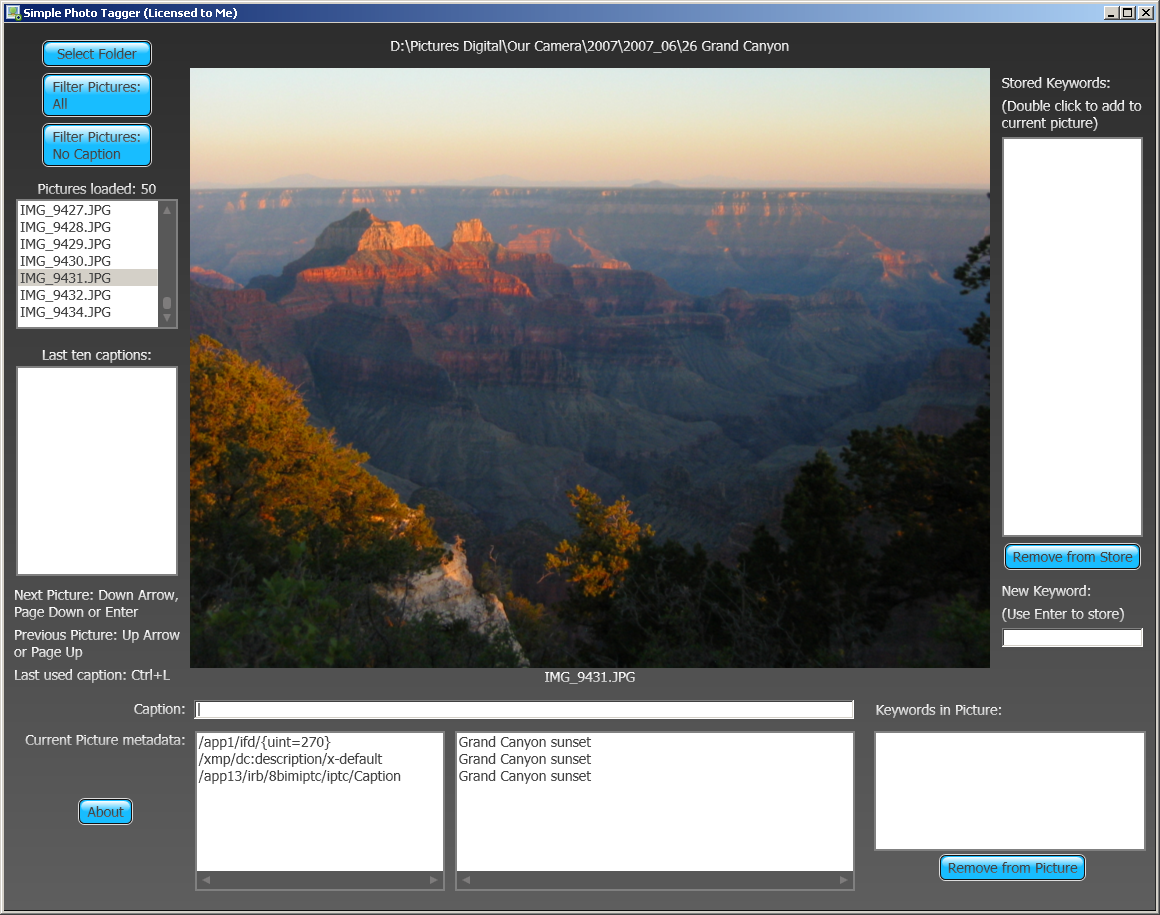
It’s a program focused on one single task: helping you get through commenting on your digital photos as fast and efficiently as I can imagine.
Here’s how it works:
- Select a folder that contains the pictures you want to work on.
- The first picture is shown.
- Type your comment.
- Press Enter.
- The next picture is shown.
Now just repeat steps 3-5 until you’re done with all the pictures in the folder. Then go back to step 1.
The program remembers the last ten comments you entered and lets you re-use them with a single click. It also lets you re-use the last comment with the Ctrl+L keystroke.
There’s also an option to add and remove keywords (sometimes called tags).
[Update 8/11/2011]
I’m looking for testers and feedback, so for a limited time I’ll waive the nominal amount that I normally charge for the program.
The testing period is over (it’s been close to three years and I’ve had no reports of bugs or suggestions for improvements). If you’re interested in removing the evaluation limitation by purchasing a key, send $10 via PayPal to geektieguy [at] geektieguy.com and (optionally) indicate the user name you’d like the program to display after entering the key. If you don’t include a user name, I’ll use the email address from which the payment was sent as the user name.
Please also add the email address geektieguy [at] live.com to your list of “approved” email addresses so the license key email doesn’t end up in your junk email folder.
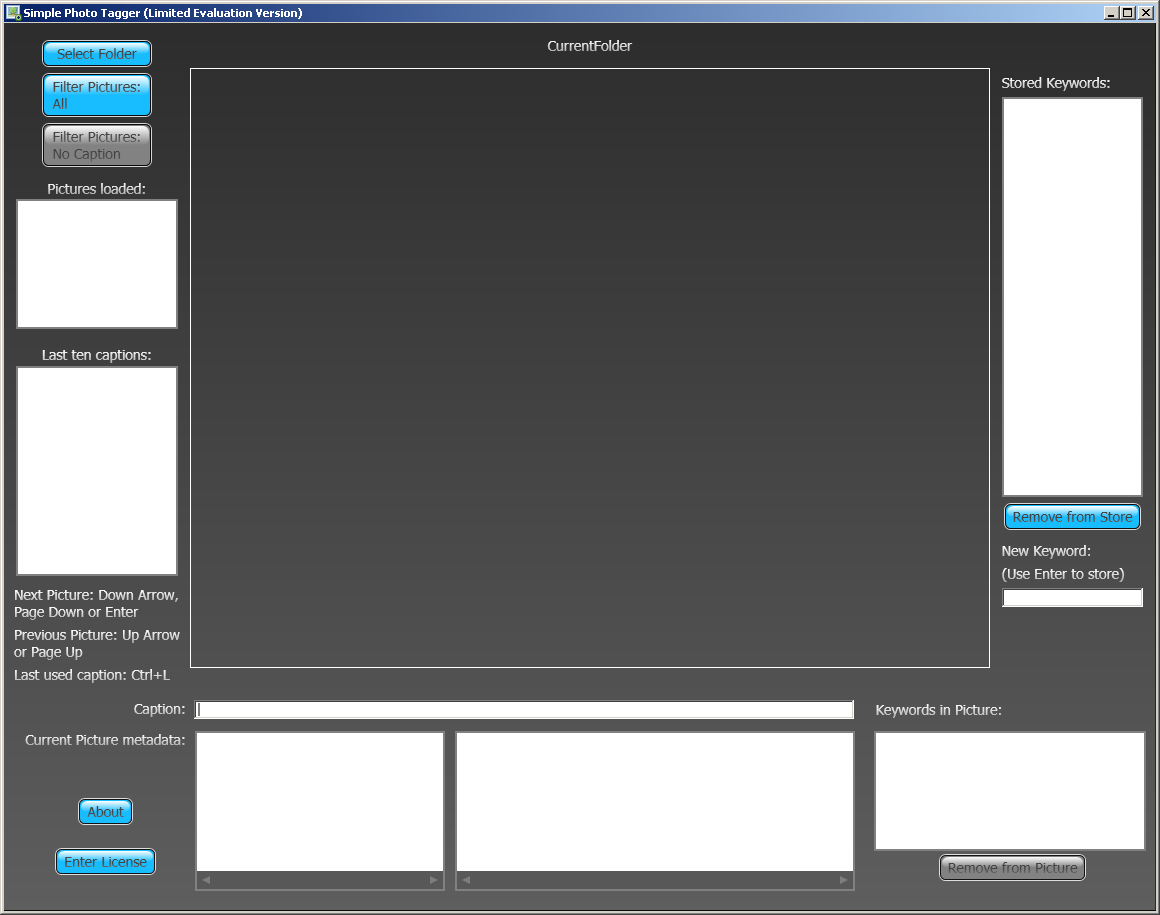
The limited evaluation version only loads up to five pictures from the selected folder and doesn’t let you add or remove keywords/tags. It also doesn’t let you narrow the pictures worked on to pictures that have no comment yet.
Download the program here (version 1.0.10), then contact me through comments on this page to get a key.
[End Update 8/11/2011]
To install the program, unpack the zip file, then run setup.exe.
Thanks for reading! It looks like you're new here. Welcome! If you like what you see, I encourage you to subscribe to my RSS feed. If you're worried about adding another RSS feed that will add to your information overload, don't! I'm not a prolific poster. Thanks for visiting!


65 Responses to “Simple Photo Tagger”
I’d love to try out the photo tagger – can I get a key?
Thanks,
Emmanuel
It’s on its way.
I’d also love to try out the photo tagger – can I get a key?
thanks in advance
Jan
Coming right along.
May I please have a Key to try! Thanks in advance
-Craig
Certainly. It’ll be arriving shortly.
Hi.
Can I have a key too?
-Runar
Yup.
Looks good, I’m willing to give this a try and feed back my comments.
Key is on the way.
Where do I enter the key at??
thanks
There’s a button in the lower left that says “Enter License”.
Ok, for some reason, and only your program, I can not see the bottom of the screen, If i drag the corners in to re size it just cuts more off, it doesn’t make the window smaller as it should.
I’m using a laptop with 15.4″ screen, vista, 1280×800 screen size.
That’s good feedback. I’ll need to make some changes to address that. Thanks!
I’ve updated the program to try to address Alan’s comment from February 12. If anybody else is seeing the same problem, please redownload using the link in this post, unzip and run the setup.exe program. It should update properly to the new version (1.0.8.0)
Thanks, that’s a bit better as it now has scroll bars to see the missing parts, I think the problem still lies in that the photo does not reduce in size with the window, address that and should work better.
Trying the tagging part now, seems very easy so far.
I would love to test out the photo tagger — I am especially excited that is a wpf application…
Looking forward to seeing your work
Joe
Your key is on the way.
I’d like to test your app as well. Please send a key.
It’s on the way.
I have spent a few days now looking for a program like this. Would you be so kind and share a key with me?
Bjørn Tore
one for me – one for you – ok?
Sent.
It’s on the way now.
Would you like to give me a key too?
I’d love to get a key to try this! Thanks!
@Aroo: Sure.
@Lloyd: Coming right up.
could you possibly allow me to try the program. Like you I have been looking for something really simple and there appears to be nothing there.
I look forward to hearing from you.
regards
A key should be on the way.
I’d love to get a key to try your program. Thanks
Check your email. It should arrive shortly.
Request for a key …
Btw. I’m playing around with WIC.
Are you using code like?
metaData.SetQuery(“/xmp/dc:description/x-default”, value);
metaData.SetQuery(“/app1/ifd/{uint=270}”, value);
metaData.SetQuery(“/app13/irb/8bimiptc/iptc/Caption”, value);
That looks similar to what my code is doing, yes. I’ll get a key out to you soon.
May i please have a key to try this out?
Yes, I’ll send one out to you soon.
Have you also tried to tag also RAW photos?
WIC should support that.
No, I have not tried that, not even “just to see if”. I don’t usually shoot my pictures in RAW.
I like the program. Can I have a key?
On the way. Make sure you add geektieguy (at) live -dot- com to your safe senders list so the email won’t go to your spam.
Your program looks like my dream solution. May I have a key please? I have over seven thousand family travel photos to keyword, and I don’t know whether I want to even begin without a solution like yours. Thanks
Look in your email. There should be something there soon.
this program is exactly what i was looking for, can i get a key?
Look in your email. You’ll get something from me soon.
Very nice tool. The one I was looking for
Used Picassa, but there you need to tag one by one :S
Can I get the key pls ?
I’d like a key too, please!
Coming soon via email. Make sure you look for a message from geektieguy _at_ live “dot” com
Me too? Thanks for doing this workl
I’ll send you a key shortly.
this is a very good, simple and handy program.
thanks for sharing. But the version is limited.
can you send me a key please?
Yuriy,
An email is on the way.
Searched for wicexplorer, found this. Can I get a key? And do you know where I can find wicexplorer on Vista?
A key will be on its way soon. The WIC tools (WIC explorer is part of those) are here: http://code.msdn.microsoft.com/wictools
I totally mis-read that page to say that the *Platform Update* contained the tools, based on the line “The Windows Vista, pre Platform Update for Windows Vista, includes the following tools” line. Once you asserted that the tools were on that page, I figured that they had to be there somewhere, and then I found them, and figured out that the text was trying to tell you which version to get.
Thanks!
both picassa and flickr are good if you want to share pictures online*~,
CAN I PLEASE GET A KEY
You got it. It’s on the way via email.
could you please supply a key for your software, thanks
I’ve sent you a key. Thanks for checking out Simple Photo Tagger!
I Need the key, please. Tanx
A key is on the way by email.
may i ask for the key sir? thanks
Thanks everyone who tried out the program and asked for a key. I’ve decided that the testing and feedback period is over. From now on I’m charging the nominal amount of $10 for full use of the program. See further details in the updated post above. Thanks!
Nice job how can I get the key as well ?
Please read the main page on SimplePhotoTagger, if you haven’t yet. The period where I gave away keys has ended. You now purchase a key via PayPal.
Care to comment?